Life Fitness Go Console: Migraine-Friendly Review
By Rina Patel • 6th May
When you're shopping for home cardio equipment, most manufacturers are betting you'll buy on flash. Touchscreens that rival your phone. Vanity metrics that gamify every workout. Entertainment feeds meant to distract you from the effort. But if you're someone who finds that visual complexity aggravating (or worse, disorienting), the Life Fitness Go Console review starts with a refreshing premise: strip away the noise, keep the essentials.
I've spent years tracking the hidden math behind treadmills, ellipticals, and stationary bikes. My first machine taught me that owning fitness equipment isn't just about the workout; it's about the belt lubrication schedule, the motor's power curve, the cost to replace a deck in year seven, and the resale value when you're ready to move on. The Go Console caught my attention not because it's feature-rich, but because it's deliberately restrained (and that philosophy extends to how it's built and maintained).
Let me walk you through what that means in real terms.
Why Low-Visual-Stimulus Matters in Cardio Equipment
The fitness console industry has, for decades, assumed that more data points equal more motivation. Scrolling workout libraries. Real-time calorie counters spinning upward. Incline profiles rendered as glitzy bar charts. Streaming entertainment zones. For most users, that's just background noise. For others (particularly those managing visual sensitivities or simply preferring a focused workout without cognitive overhead), it becomes friction. If you’re sensitive to visual triggers, our treadmill migraine protocol covers lighting, display settings, and pacing to prevent onset.
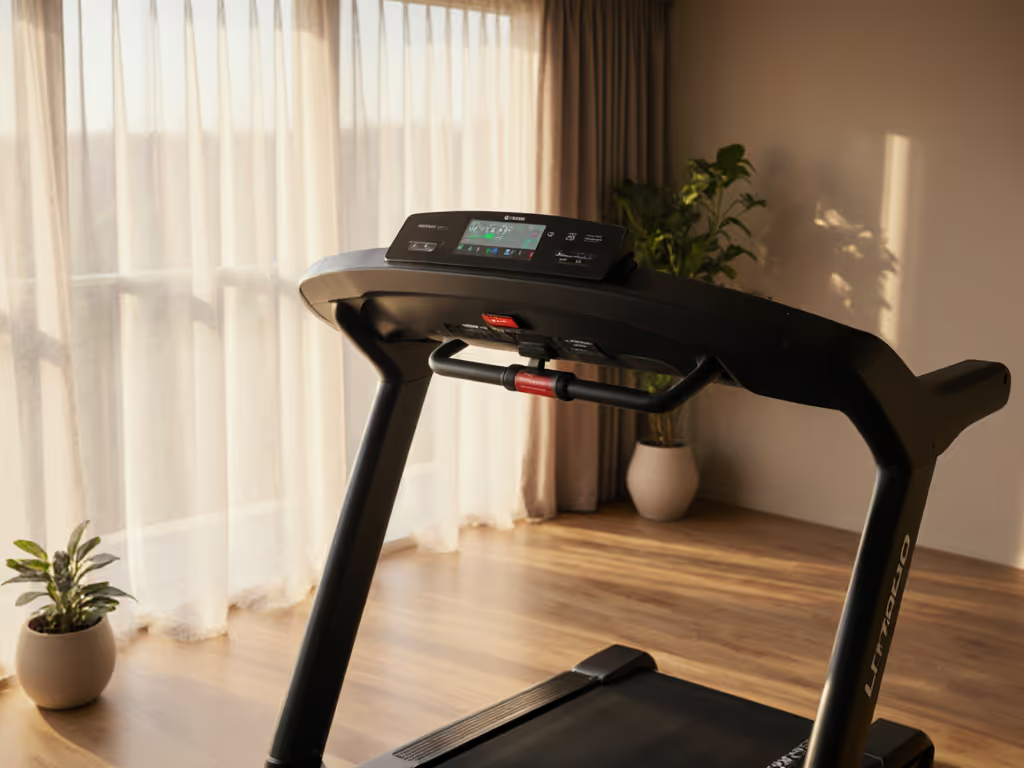
The Go Console takes the opposite approach. Its interface is intentionally clean: a straightforward display of time, distance, speed, incline, heart rate, and calories burned. No competing feeds. No upsell notifications. No animations. This isn't minimalism for aesthetic reasons; it's functional simplification.
From a durability perspective, simpler hardware often means fewer failure points. Fewer touchscreen pixels to fail. Fewer background processors drawing power. Fewer proprietary software updates that slow the system down over time. Ownership costs compound - good design pays dividends every mile.
The Go Console Interface: What You Actually See
The Go Console's display uses a straightforward LCD interface. During a workout, you get:
- Current metrics: Time elapsed, distance, speed, incline level, estimated caloric burn
- Heart rate zone feedback: The console indicates whether you're above or below your target zone (useful without being bombastic)
- Workout profile graph: A simple column-based representation of intensity, updated as you move through your session
- No distracting overlays: The screen doesn't layer ads, app notifications, or motivational pop-ups
For someone who prefers a neurological-friendly treadmill or cross-trainer, this restraint is precisely the point. You can focus on your breathing, your stride, your form, not on watching a virtual landscape or competing with on-screen metrics.
Technically, the console runs a proprietary operating system built on a relatively stable architecture. Life Fitness has been manufacturing cardio consoles since the 1980s, and the Go Console inherits decades of wear-testing. That longevity in design philosophy translates to fewer unexpected bugs, longer intervals between required firmware updates, and parts that remain consistent across multiple equipment generations.
Program Structure and Simplicity as a Feature
The Go Console ships with 13 pre-programmed workouts across several categories:
- Manual mode: Your speed and incline; no automation
- Hill workouts: Incline gradients at various intensities
- Interval training: Alternating high and low effort blocks
- Fat burn programs: Extended, steady-state efforts at moderate intensity
- Custom workout slots: Save two of your own routines for quick recall
That's not a comprehensive library, and that's deliberate. Thirteen programs are enough to prevent boredom over a 5-10 year ownership cycle, but not so many that you waste decision energy scrolling. You can also create two custom workouts and store them, which means a two-user household can each have a saved routine.
User profiles are quick to set up: weight, age, gender. The console uses this data to estimate caloric burn (Life Fitness applies a proprietary equation, not published but consistent across their equipment line). For tracking energy expenditure over time (which feeds directly into total cost over time calculations if you're paying attention to electricity usage), knowing your actual caloric estimate is useful but, importantly, isn't hyped as medically precise.
Heart rate monitoring uses either contact sensors on the handrails or a wireless chest strap (Bluetooth or ANT+ compatible). For accuracy differences between grips and straps, see our heart rate accuracy comparison. This is practical: if you're testing different zones or managing intensity for joint recovery, you can track your actual response rather than guessing. The display tells you whether you're in zone or out; it doesn't overwhelm you with variability charts.
Durability and the Supply Chain Reality
Here's where I shift from interface to infrastructure. Life Fitness is part of the Steelcase company ecosystem, which means parts and service documentation are standardized across a commercial manufacturing network. Unlike boutique brands that vanish or consolidate, Life Fitness consoles deployed a decade ago still have parts available through authorized dealers and independent service centers.
The Go Console itself contains:
- A brushless DC motor (common, robust design)
- A control motherboard using standard industrial components
- LCD screen with passive cooling (no active fans to fail)
- Handrail sensors using simple capacitive touch
When components do need replacement (and they will, eventually), you're not hunting for proprietary modules. The motor can be rewound. The board can be diagnosed and repaired by qualified technicians. The screen can be replaced at mid-market pricing, not five-figure service calls.
This matters more than you might think when you're planning equipment past year three. My early treadmill experience taught me to track failure modes methodically: which components degrade first, what spares cost, how long service takes. The Go Console's architecture doesn't claim to be immortal, but it's designed for serviceability.
Energy Use and Long-Term Operating Cost
A treadmill's motor efficiency is often overlooked in comparison reviews, but it's directly tied to your electricity bill and, indirectly, to motor longevity.
The Go Console doesn't include flashy processor-intensive features like real-time video rendering or constant Bluetooth syncing. Its power draw during use typically sits between 1.5 and 2.5 kilowatts (depending on the underlying cardio equipment; a treadmill draws more than an elliptical). The console itself, as a display and control unit, adds roughly 100-150 watts.
If you run on an equipped Life Fitness treadmill with Go Console for 45 minutes, five days a week, 50 weeks a year:
- Weekly runtime: ~3.75 hours
- Annual runtime: ~187.5 hours
- At an average draw of 2 kW: ~375 kWh per year
- At $0.14 per kWh (US average): ~$52.50 per year
Over a 10-year ownership cycle, that's roughly $525 in electricity (not zero, but not catastrophic). For deeper calculations and ways to cut that bill, see our treadmill energy use guide. More importantly, the Go Console's restrained architecture means the motor isn't burning energy on background tasks, app syncing, or screen refresh cycles that don't serve your workout.
Compare this to a more feature-heavy console running constant Bluetooth, app notifications, and screen rendering, which might push 250-300 watts just sitting idle or between intervals. Over a decade, that waste compounds. Ownership costs compound - good design pays dividends every mile.
Multi-User Households and Accessibility
Many home fitness buyers are couples or families sharing a single piece of equipment. The Go Console supports two user profiles, each with saved workouts and preferences. Profile switching takes seconds: no password entry, no complicated navigation. If you're a runner training for speed and your partner prefers steady-state cross-training, you can each have your own saved routine and zone targets.
The handrail ergonomics on Go Console-equipped models are typically stable and forgiving. The controls use large, tactile buttons rather than small touchpoints (relevant if you have dexterity concerns or are wearing gloves in a cooler garage). The overall aesthetic is clinical, not flashy, so it blends into a home gym without demanding visual attention.
For rehab scenarios (joint recovery, physical therapy protocols), the simplicity is an asset. Your therapist can write you a specific session "20 minutes, 3.2 miles per hour, 2% incline" and the Go Console delivers exactly that without upsell prompts or distracting pop-ups.
Practical Installation and Noise Considerations
Life Fitness equipment paired with the Go Console is typically sold through dealers who manage delivery and assembly. The console itself connects to the underlying cardio machine via a secure cable; it's not wireless and doesn't require additional WiFi setup. That's a simplification many users appreciate, especially in apartments or older buildings where network bandwidth is already constrained.
Noise during operation depends on the cardio platform (treadmill, elliptical, etc.), not the console. If you train in a shared space, our quiet treadmill for apartments guide includes verified dB data and vibration fixes. The console runs quietly; there's no active cooling fan or hard drive. The motor hum is all about the larger equipment piece.
Maintenance is straightforward: keep the console dust-free, avoid spilling water directly on the display (though splash resistance is standard), and ensure the cable connection stays seated. Most service calls relate to the underlying equipment, not the console itself.
The 5-10 Year Total Cost of Ownership
Let me model this out as I did with my own machines:
| Cost Category | Year 1-2 | Year 3-5 | Year 6-10 |
|---|---|---|---|
| Initial Equipment | $3,500-$6,000 (treadmill/elliptical + console) | - | - |
| Electricity | $50-$70/yr | $50-$70/yr | $50-$70/yr |
| Maintenance & Lubrication | $0-$50 | $50-$150 | $100-$300 |
| Parts Replacement | $0 | $200-$400 (belt, bearings, sensors) | $400-$800 |
| Service Calls | $0 | $0-$200 | $200-$500 |
| Warranty | Covered (typically 5 yr) | Out-of-pocket begins | Out-of-pocket |
| Resale Value | ~70% of purchase | ~50% of purchase | ~25-35% of purchase |
Over 10 years, the total cash outlay typically sits between $5,000 and $8,500 for the equipment plus operation. The resale residual (what you recover when you're done) can offset 20-35% of that if you maintain the machine methodically.
Why does the Go Console support this affordability? Because its restrained architecture doesn't trap you into proprietary subscriptions or forced software upgrades that cripple older hardware. A decade-old Go Console still functions exactly as designed.
Comparisons and Where Go Console Fits
Life Fitness offers an upgrade path: the Track Connect Console, which adds app connectivity, dual-zone entertainment displays, and more granular workout options. It costs roughly 40-50% more and uses proportionally more power.
For users who want a second screen or need entertainment integration, Track Connect makes sense. For users managing visual sensitivities, working in noise-sensitive environments, or simply unwilling to subsidize features they won't use, the Go Console is the rational choice.
There's no performance penalty. Both consoles communicate with the same cardio platforms. Speed and incline accuracy are equivalent. The motor power is the same. You're not sacrificing durability or reliability by choosing simplicity.
Assembly, Support, and Long-Term Service
Life Fitness maintains a dealer network across North America and Europe. Authorized dealers handle white-glove delivery, assembly, and warranty service. If your console fails in year three (unlikely, but possible), you contact your dealer and they either repair it on-site or swap in a replacement (no complex back-and-forth with an overseas support center).
Service manuals for the Go Console are available through dealer channels and, increasingly, as PDFs. Parts diagrams are clear and standardized. This transparency is critical for long-term ownership: you can plan maintenance, budget for eventual replacements, and understand what a repair should cost before you call.
Actionable Next Steps: Making Your Decision
-
Identify which cardio platform matches your need: Treadmill for impact training, elliptical for low-impact, recumbent bike for back support. The Go Console works across all of them; your choice depends on your body and goals, not the console.
-
Verify the footprint and delivery logistics: Get exact dimensions of the equipment, measure your space (including doorways and stairs), and confirm delivery/assembly options with an authorized dealer. Total cost of ownership includes the hassle factor.
-
Test the console interface in person: If possible, visit a gym or dealer showroom and spend 5-10 minutes on a Go Console setup. If the simplicity feels like freedom rather than deprivation, you've found the right fit.
-
Ask the dealer about parts availability and warranty terms: Request a written breakdown of what's covered, for how long, and what out-of-pocket service costs look like in years 6-10. For brand-by-brand coverage differences, see our treadmill warranty comparison. Budget accordingly.
-
Build your 10-year cost model: Add purchase price, annual electricity, estimated maintenance, projected parts replacement, and subtract your estimated resale value. Compare that total cost over time across your shortlist. The cheapest machine isn't always the cheapest to own.
-
Plan your maintenance schedule from day one: Lubricate the belt every 3-6 months, inspect cables and sensors quarterly, and keep a simple log. That discipline extends equipment life by 30-50% and flags problems before they become expensive.
The Go Console won't turn your home gym into a boutique fitness studio, nor does it pretend to. What it will do is get out of your way, function reliably for a decade, and let you focus on the workout, not the screen. In a crowded market of overpromised features and hidden costs, that's increasingly rare. And if you're someone who values clarity over spectacle, it's exactly what you've been waiting for.
Related Articles